MotionCtrl
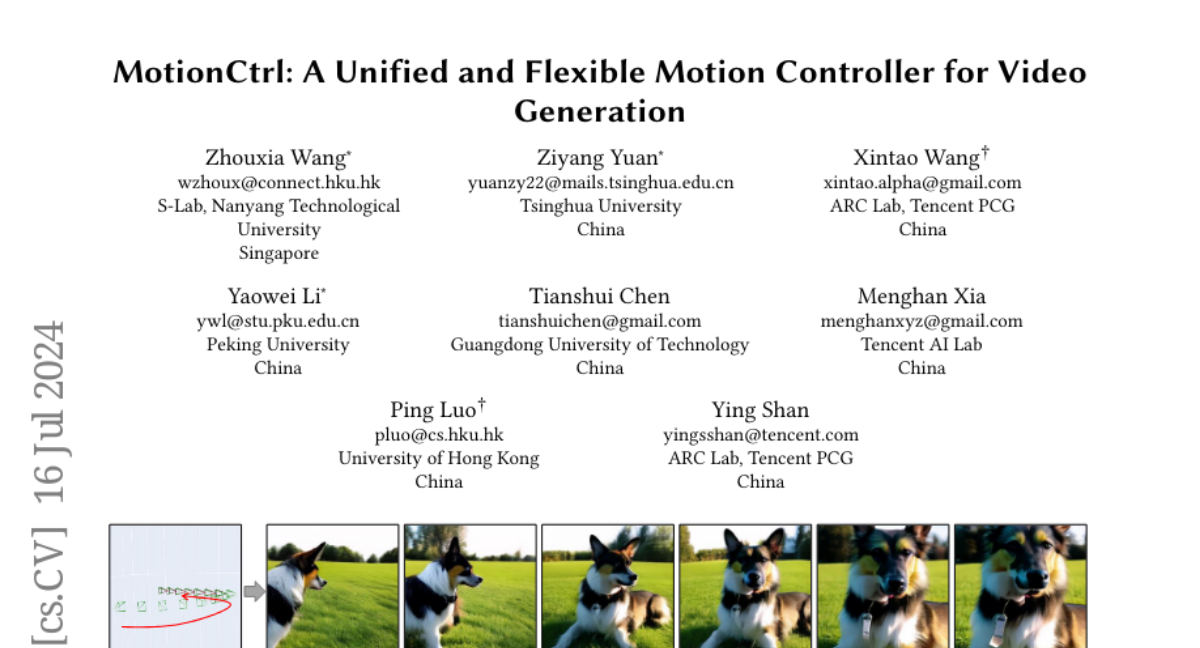
MotionCtrl from Tencent (ARC Lab): independent camera-motion and object-motion control for video generation.
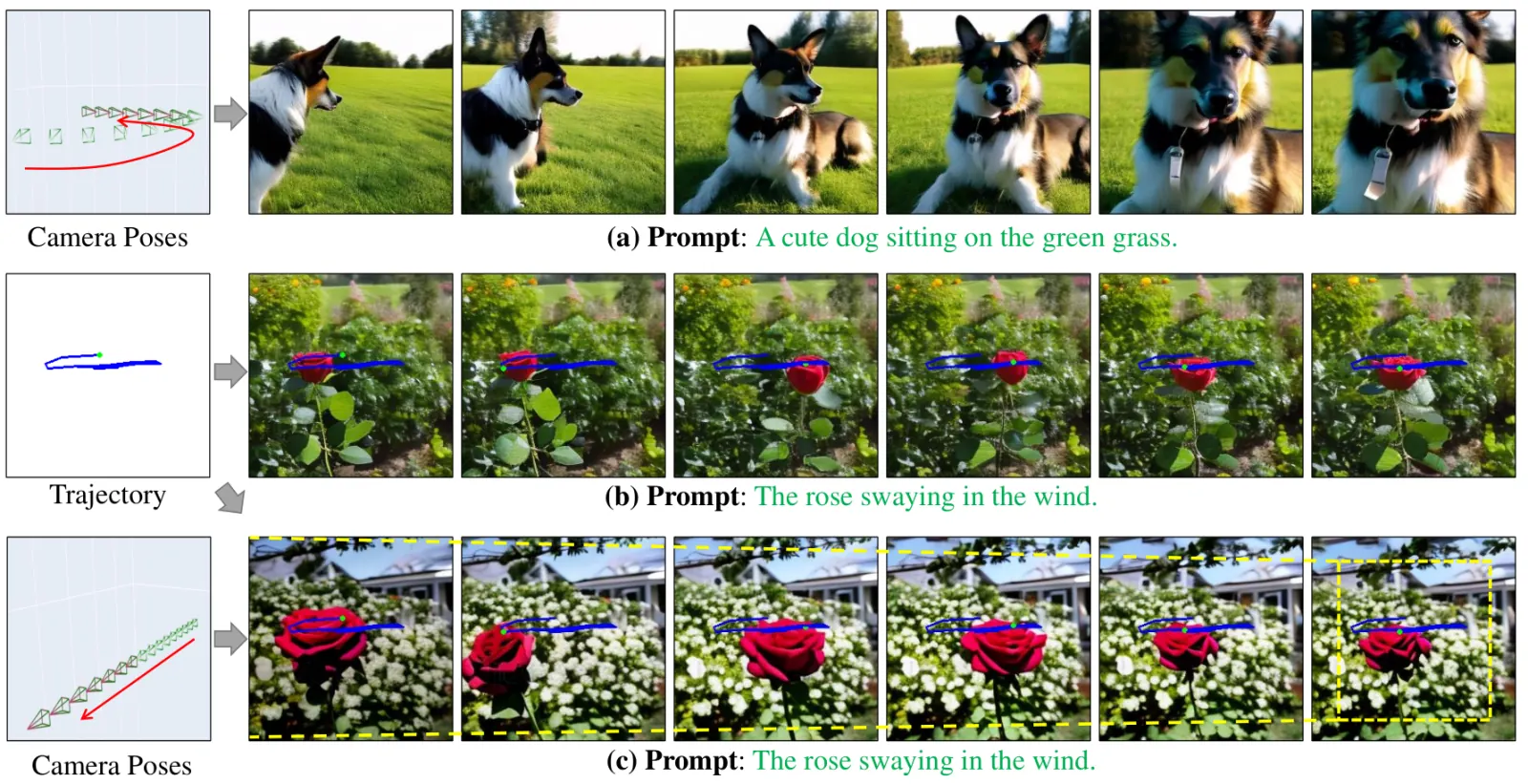
MotionCtrl is a unified, flexible motion controller for video generation: it controls camera motion and object motion independently in one model (SIGGRAPH 2024). Validated with the released MotionCtrl checkpoint: the camera-motion demo runs end to end with the bundled camera-pose example.
Paper: arXiv 2312.03641.
Project page: wanquanf.github.io/MotionCtrl. Code: TencentARC/MotionCtrl.
Build your run
MotionCtrlPipelineworldfoundry.pipelines.component_pipelinesinteractive-videoworldfoundry.pipelinewf run \
motionctrl \
--pipeline.task-profile interactive-video \
--jsonWhat it is for
Use motionctrl to generate an explorable world.
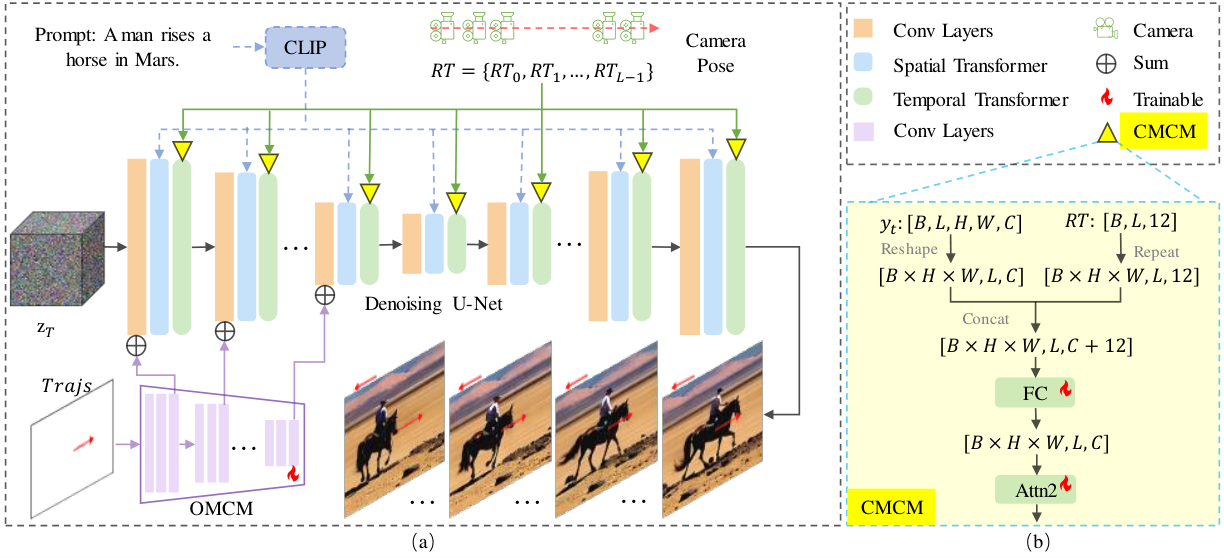
Per the publication, a Camera Motion Control Module conditions on camera pose sequences and an Object Motion Control Module on trajectories, attached to an LVDM-family video base. WorldFoundry runs the model stack, control modules, and sampler in-process; no upstream checkout is needed. It is published by Tencent (ARC Lab).
Tasks: interactive video.
Suggested benchmarks: CameraBench (Camera-motion control adherence).
Runtime contract
Inputs prompt and input-path (bundled samples are used when omitted); options height, width, seed, camera-pose-path, condtype, unconditional-guidance-scale, and 1 more; artifacts motionctrl.mp4.
CLI task profiles: interactive-video. WorldFoundry binds MotionCtrlPipeline.
Family status: Verified.
Start from the bundled default camera/object motion conditions and inference config; supply the local MotionCtrl checkpoint.
Running in WorldFoundry
Run wf run motionctrl --pipeline.task-profile interactive-video to generate the world.
It runs in the unified environment worldfoundry-unified-cu128 (Python 3.11, CUDA 12.8).
Weights: TencentARC/MotionCtrl and TencentARC/MotionCtrl_SVD. Prepare the environment and check local assets with bash scripts/inference/prepare_model_infer.sh motionctrl. Add --download to fetch missing public checkpoints.