DualCamCtrl
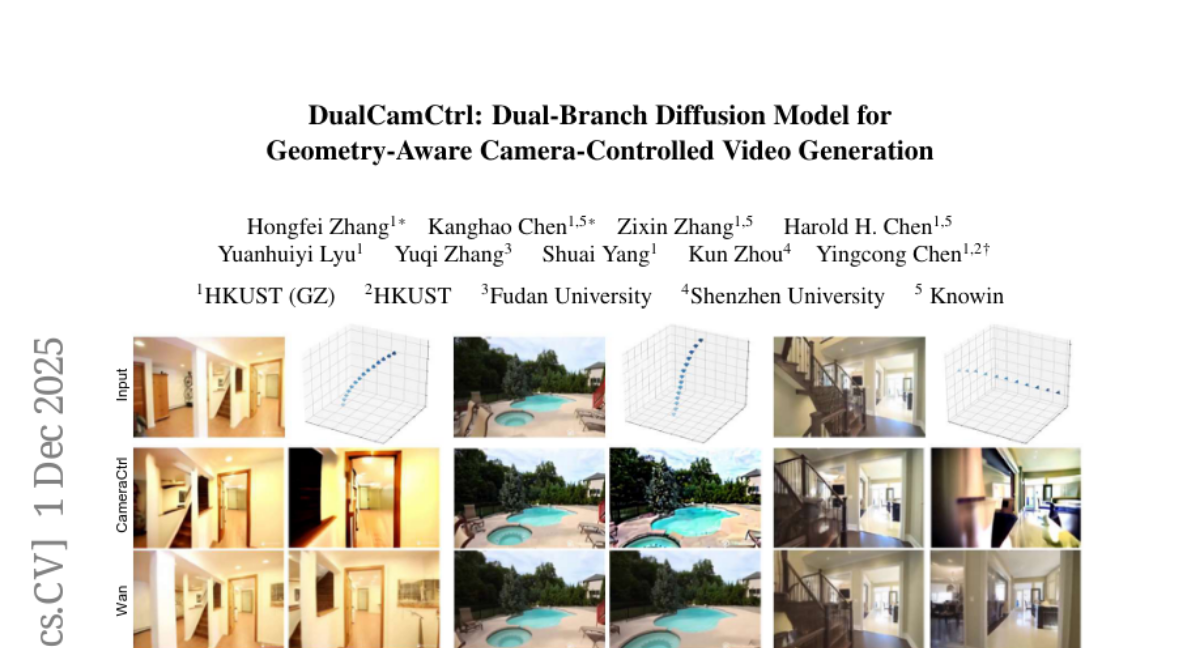
HKUST-GZ EnVision: image-to-video controlled by RGB + depth + camera .torch trajectory. Validated on the official demo: 320×480, 61 frames, 50 steps. License unknown.
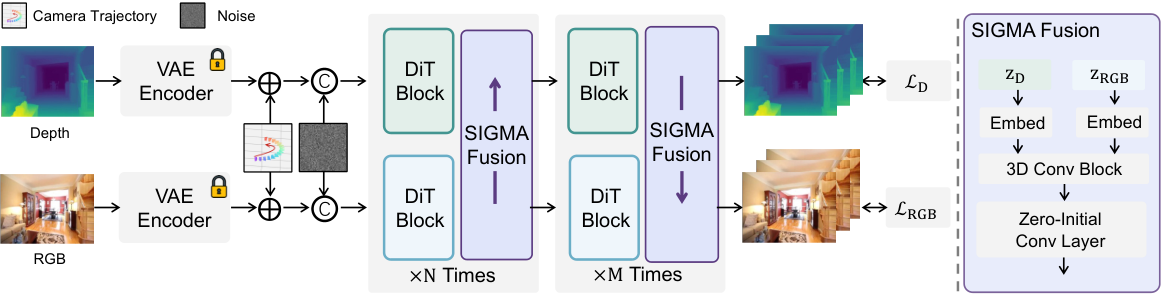
DualCamCtrl steers video with a camera trajectory plus a depth image: RGB and depth together pin geometry so the camera move stays grounded. WorldFoundry runs it as DualCamCtrlPipeline with the official RGB / depth / camera inputs. Validated on the official seaside demo: the pipeline generates 61 frames at 320×480 with 50 steps.
Paper: arXiv 2511.23127. Project: soyouthinkyoucantell.github.io/dualcamctrl-page. Code: EnVision-Research/DualCamCtrl. Publisher: HKUST (Guangzhou) EnVision Lab. License: unknown.
Build your run
DualCamCtrlPipelineworldfoundry.pipelines.component_pipelinesinteractive-videoworldfoundry.pipelinewf run \
dualcamctrl \
--pipeline.task-profile interactive-video \
--jsonWhat it is for
Camera-controlled image-to-video: give a start image, its depth image, and a camera trajectory to get a video that follows the camera path.
Launch wf run dualcamctrl.
Score on CameraBench — camera-trajectory adherence of controlled generation.
Runtime contract
Required: prompt and image; optional: video; actions: camera_trajectory, depth_image; artifacts: dualcamctrl.mp4 and seaside.mp4.
| Knob | Official demo |
|---|---|
| Size | 320×480 |
| Frames | 61 |
| Steps | 50 |
| Trajectory | .torch camera file |
Running in WorldFoundry
Unified environment worldfoundry-unified-cu128 (Python 3.11, CUDA 12.8). Weights come from FayeHongfeiZhang/DualCamCtrl, alibaba-pai/Wan2.1-Fun-V1.1-1.3B-Control-Camera, Wan-AI/Wan2.1-T2V-1.3B, and Wan-AI/Wan2.1-I2V-14B-480P. They load through the default Hugging Face cache; pass pre-staged local assets through checkpoint_path, base_model_path, or WORLDFOUNDRY_MODEL_DIR. Run wf run dualcamctrl.